# Edit View and Graphics (Sashimii Docs, Editing)
> Watch the cut as one continuous timeline, adjust joins from it, and move, retime, approve or send back the graphics your agent made.
Canonical: https://sashimii.app/docs/edit-view-and-graphics/
Last updated: 2026-11-02
Edit view (⌘ 3, or E from Cut) shows the cut as it will play: one continuous timeline of the kept parts, with their graphics.
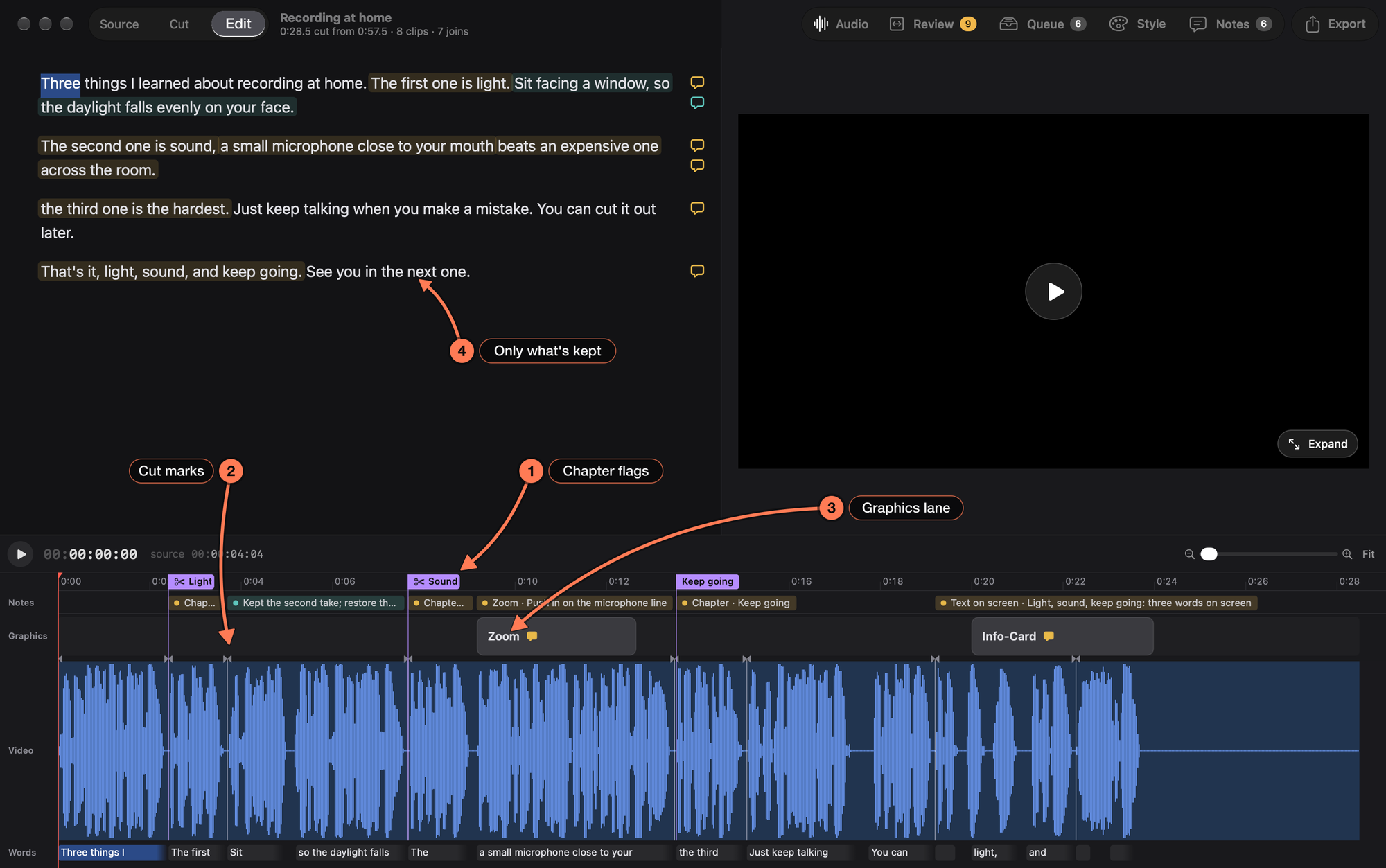
1. **Chapter flags**, in purple on the ruler, at each chapter’s place in the cut.
2. **Cut marks**: one at every join, green once it is accepted and amber when it is flagged.
3. **The graphics lane**, above the waveform. Here it holds two graphics the agent made from notes: a Zoom and an Info-Card, each with a speech bubble for its note.
4. **The transcript** shows only what’s kept.
## Adjust a Join
Click a cut mark (or step to one with [ and ]). The playhead jumps there, the mark turns blue with a handle on each clip edge, and a popover offers:
- **Play**: one second of the cut across the join.
- **Open in Cut** (Return): switches to Cut with [join review](https://sashimii.app/docs/reviewing-joins/) open on that join.
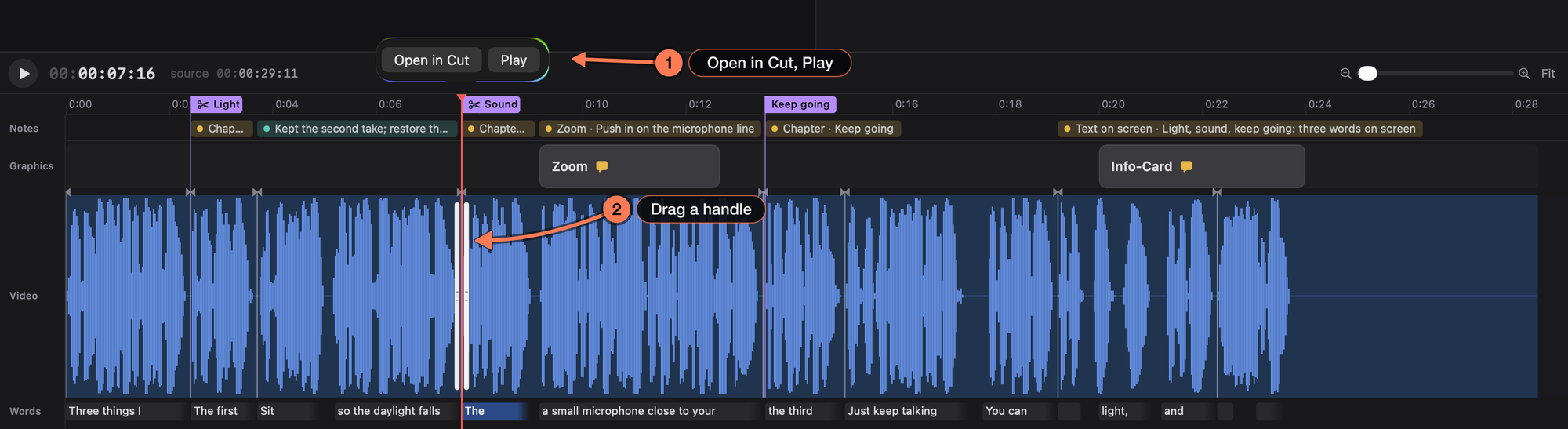
1. **Open in Cut** and **Play**, for the selected join.
2. **The handles** on each side of the join.
Drag a handle to move that edge. The left handle is the end of the clip before the join; the right one is the start of the clip after it. Dragging away from the join brings more of that clip back; dragging toward it tucks it under. While you drag, the video shows the frame at the edge. Right-click a mark for **Open in Cut**, **Play Join** and **Accept**.
## Graphics
Graphics are made by your agent, usually in answer to a tagged note, and follow the project’s [Style](https://sashimii.app/docs/styles/). Each one is a bar on the graphics lane, showing its name and a speech bubble for each open note on it. Hovering a bar lights its words in the transcript; clicking it selects it and opens its popover.
| To | Do this |
| --- | --- |
| Move a graphic | Drag the bar’s body |
| Change its length | Drag its end. A caption timed from its words stays on its words: drag its start to change how early it appears, and its end to change how long it holds. |
| Approve it | Select it and press A (again to unapprove) |
| Delete it | Select it and press Delete |
| Ask for a change | Select it and press N, or type in **Ask for a change…** in its popover |
A note on a graphic follows the graphic’s timing, and the agent queue names the graphic, so your agent knows which one to fix. Some graphics can’t simply be stretched; when you change their length they are marked as waiting for your agent to retime them, with a clock on the bar. A broken graphic is hatched red, and its tooltip says what is wrong.
Every change saves within half a second, keeps your agent’s edits, and undoes with ⌘ Z.
## Related
- [Notes and Directions](https://sashimii.app/docs/notes/)
- [Voice Cleanup](https://sashimii.app/docs/voice-cleanup/)