# Cutting and Restoring Words (Sashimii Docs, Editing)
> Cut and restore words from the transcript or the timeline, answer the pauses and cuts Sashimii flagged, and move a cut edge by hand.
Canonical: https://sashimii.app/docs/cutting/
Last updated: 2026-11-02
Every cut in Sashimii is a stretch of the recording taken out. You make and undo them from the transcript or the timeline, and Sashimii places the edges on the waveform for you.
## Cut Words
Select words in the transcript and press Delete. The cut’s edges land on the waveform, between words.
When you select words, or drag a range on the timeline, a small popover above them offers **Cut** when it holds kept words, **Restore** when it holds cut words (not in Edit view), and **Add Note…**. The keys keep working while it shows.
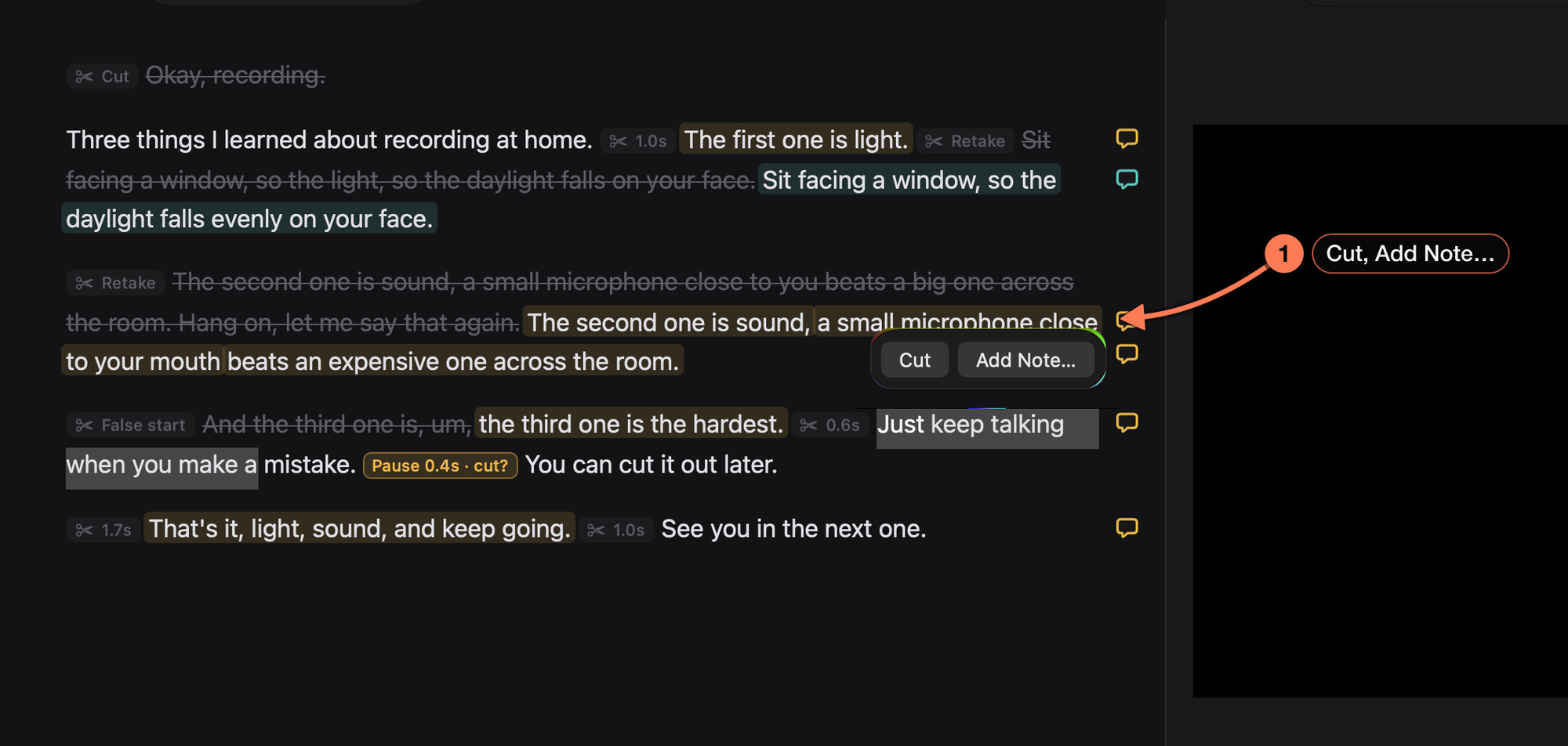
1. **The selection popover**, just above the selected words.
## Restore Words
Select struck-through words and press Delete or ⇧ Delete. They come back into the cut.
## Cut on the Timeline
- **A range:** drag across the clips (not the ruler or the playhead), then press Delete.
- **A whole clip:** double-click it, then press Delete. The cuts on either side become one join; their outer edges don’t move.
- **Words:** click a word chip under the waveform (Shift-click to extend). The transcript selects them too.
## Answer a Kept Pause or a Flagged Cut
The edge pass leaves some calls to you, and marks them in the flag colour:
- **A kept pause**, such as “Pause 0.4s · cut?”: a pause it wasn’t sure about cutting.
- **A flagged cut**: a cut that might have taken something you want.
Click its chip in the transcript, or click it on the timeline in Source view. **Cut** and **Keep** show above it. For a kept pause, Cut cuts it and Keep keeps it. For a flagged cut, Cut keeps the cut and Keep brings the words back. Either answer clears the flag, as one undo step.
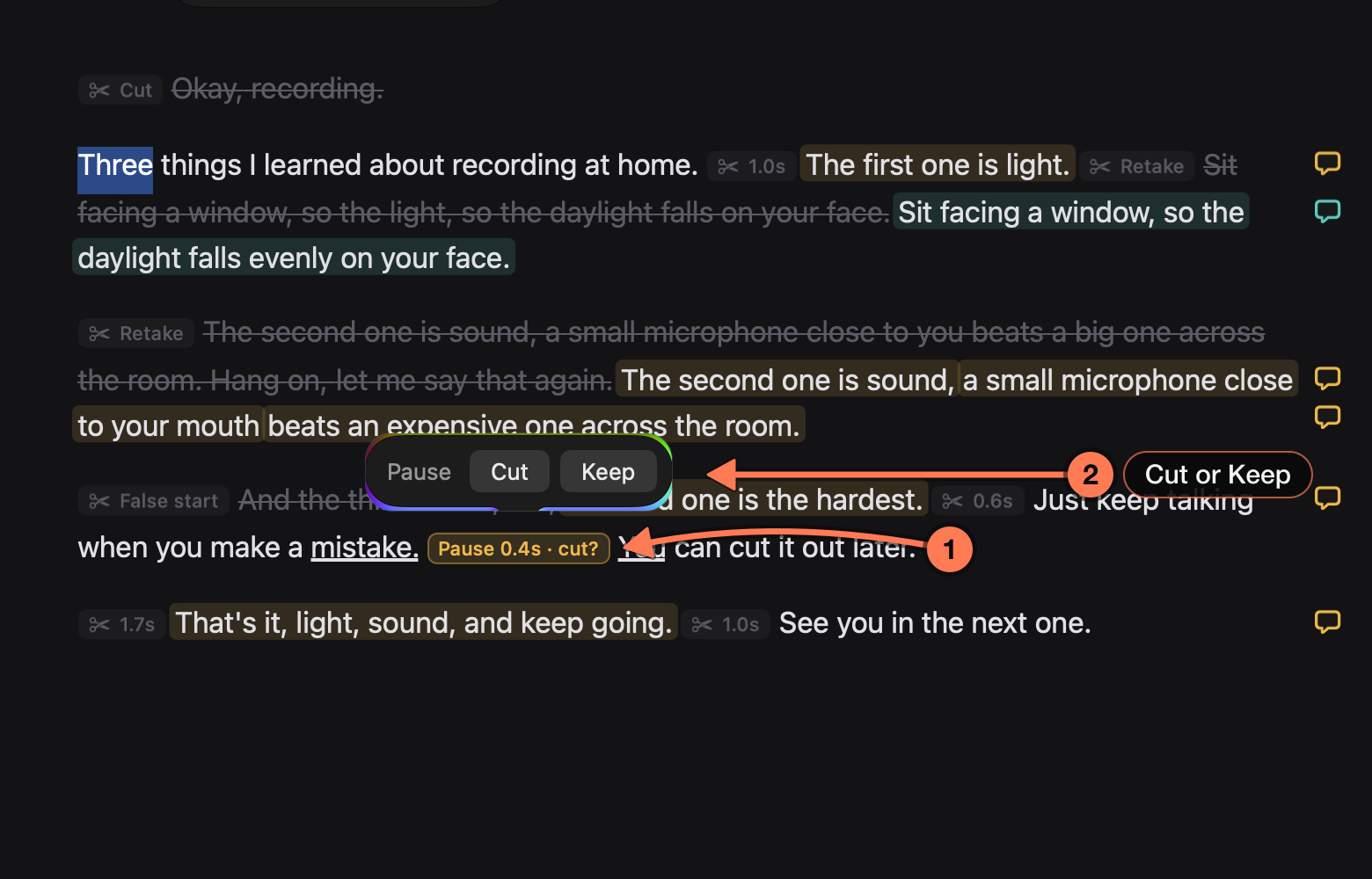
1. **A kept pause**, in the flag colour: the edge pass left this 0.4-second pause in and asks whether to cut it.
2. **Cut or Keep** answers it.
The chip also opens the pause’s details: its length, who kept it, and its out and in times, with **Cut It**, **Accept** and **Play**.
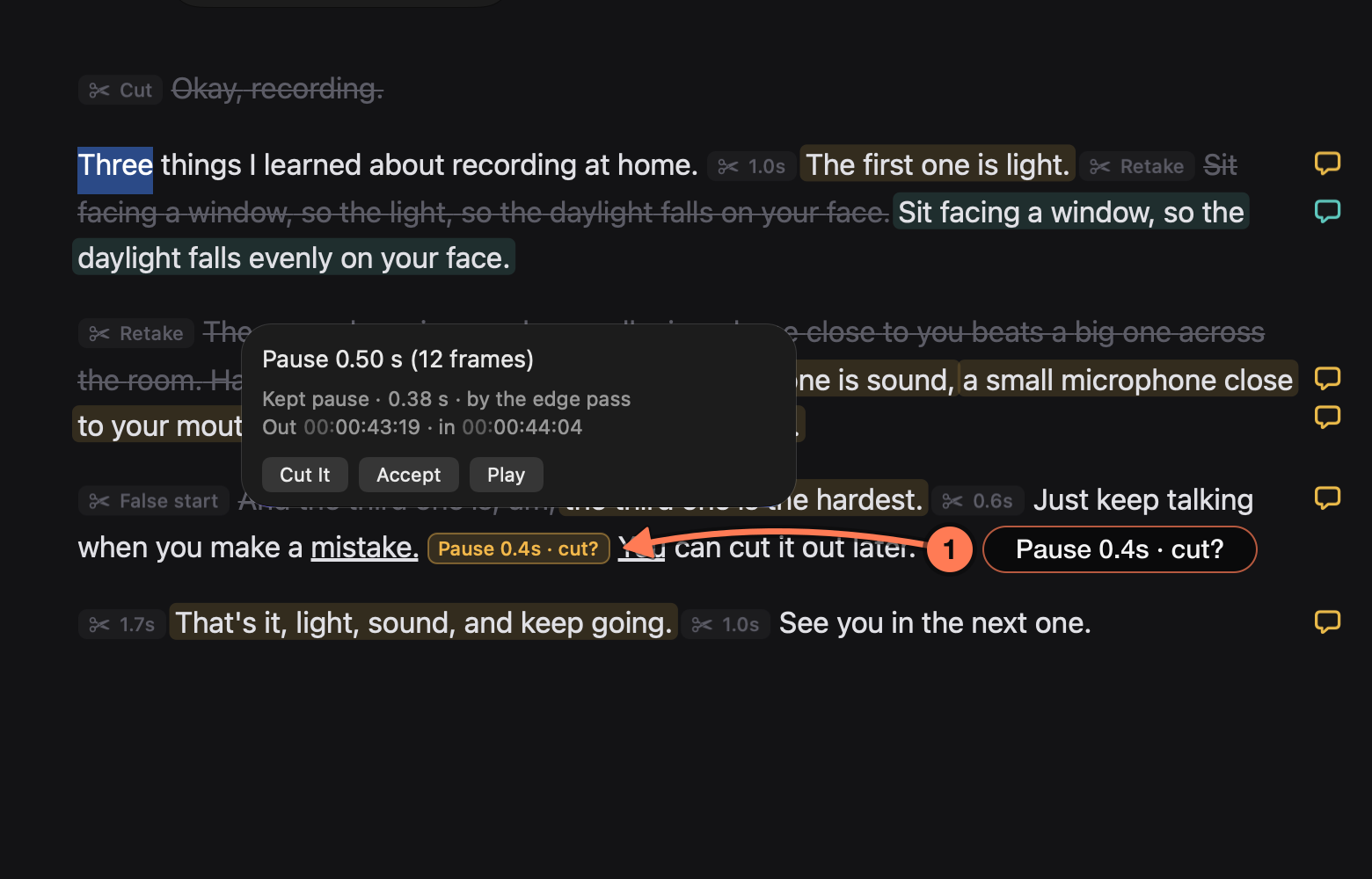
1. **The chip** you clicked. **Play** lets you hear the pause before you decide.
## Move a Cut Edge
Drag an edge handle on the timeline to move it. Double-click a handle to put it back on the waveform. For frame-accurate work on every join in turn, use [join review](https://sashimii.app/docs/reviewing-joins/).
## Place the Edges Again
**Cut › Place Edges on Waveform** (⇧ ⌘ E) runs the edge pass again over the whole cut, the same pass your agent runs at the end of a draft. It moves each edge onto the audio, cuts pauses between kept words, and flags borderline pauses for you.
## Related
- [Finding Your Way Around](https://sashimii.app/docs/the-window/)
- [Reviewing Joins](https://sashimii.app/docs/reviewing-joins/)